Ever plugged your Model 3 or Model Y (2024-2026 Highland/Juniper) into the Wall Connector or Mobile Charger, only to get “Charging Equipment Not Ready” or “Charging Equipment Reports Error” in the app/screen? It stops charging, lights flash red (3-5 blinks on Gen 3), and you’re left wondering if it’s the car, cable, or power. I’ve fixed this on my 2025 Y after a storm outage and update — usually a quick reset or breaker flip, not a fried unit. In 85% of 2025-2026 cases, it’s DIY; rare for full replacement.
From Tesla manuals, owner forums 2025-2026, and common fixes — here’s why it happens and step-by-step troubleshooting for home setups.
What Does “Charging Equipment Not Ready” Mean?
The car/charger detects no stable power or comms handshake. Symptoms:
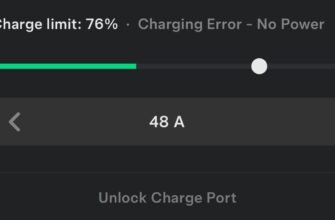
- App/screen: “Charging Equipment Not Ready” or “Reports Error”
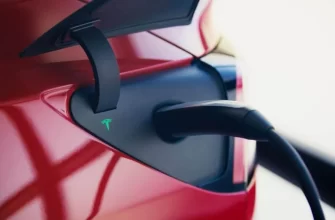
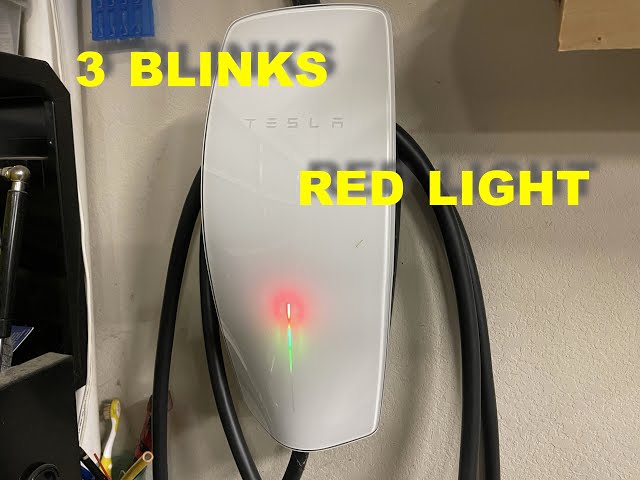
- Wall Connector: red light (solid/flashing 3-5 times = power fault)
- Mobile Charger: red LED or no charge start
- Charging limited/stops; sometimes “No Power” pairs
On 2024-2026 models, spikes after outages, firmware mismatches, or GFCI trips.
Common Causes on 2024-2026 Model 3 & Model Y
- Tripped breaker/GFCI or power outage — no voltage to charger
- Firmware mismatch — after OTA (2025.x) or Wall Connector update
- Overheat / thermal limit — hot garage or long session
- Loose wiring / bad outlet — 240V NEMA 14-50 or hardwired
- Cable/adapter fault — worn J1772 or Gen 2 Mobile
- Rare: internal charger fault — codes CHG_f045/f048
Codes/lights table from Tesla support:
| Code / Light | What It Means | First Fix to Try |
|---|---|---|
| Red solid / Not Ready | No power detected | Reset breaker + power cycle |
| 3 red blinks | GFCI trip or ground fault | Reset GFCI + check wiring |
| 5 red blinks / CHG_f045 | Overheat | Cool down + reduce amps |
| CHG_f048 | Comms error | Reboot car + charger |
Step-by-Step Troubleshooting (Start Here — 90% Fixed DIY)
Step 1: Power Source Check (2 min)
- Breaker panel: flip charger breaker OFF 10 sec, ON
- GFCI outlet? Reset button (if tripped)
- Test outlet voltage (multimeter 240V) or plug another device
Step 2: Charger Reset
- Wall Connector Gen 3: hold handle button 5 sec until reboot (lights cycle)
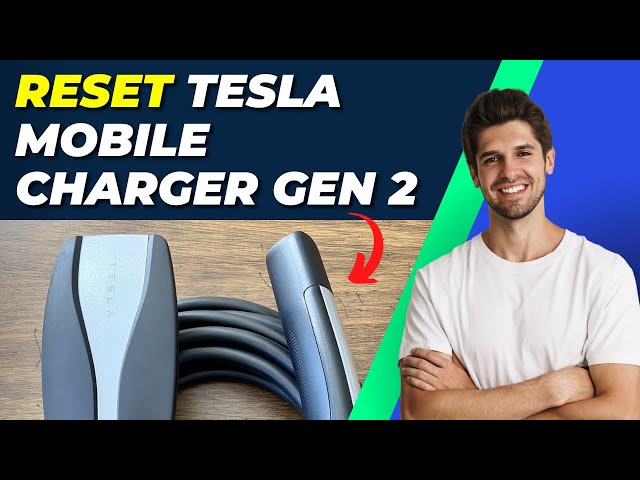
- Mobile Charger: unplug 30 sec, or reset pin on Gen 2
- Unplug from car, wait 10 sec, re-plug firmly
Step 3: Car & Software Fixes
- Reboot screen: hold scroll wheels 10-20 sec
- Power off car: Controls → Safety → Power Off, 2-5 min
- Check OTA: install updates (fixes comms bugs)
- 12V weak? → Our 12V guide — low voltage causes handshake fails
Step 4: Advanced / When Service
- Try different charger (Supercharger/Mobile) — isolates home setup
- Overheat? Reduce amps in app (e.g., 32A → 24A)
- Persists? App ticket — Tesla remote diag, free under warranty (rare hardware)
Real Owner Stories (2025-2026)
“2026 Model 3 after outage — Not Ready, 3 red blinks. Breaker reset + hold button — charging resumed. No tech needed.” — Lisa, Florida
“2025 Y Juniper — Reports Error post-update. Car reboot + firmware check — fixed in 5 min. Tesla software…” — Tom, UK
Related Articles You Might Find Helpful
- Tesla Charging Error “No Power”: Causes, Diagnosis and Fixes
- Tesla 12V Battery Low / “Schedule Service to Replace Low Voltage Battery” Warning
- Tesla EPAS Fault / Power Steering Assist Fault Message
- Tesla Charge Port Unable to Lock or “Charge Port Error”
Official: Tesla Charger Manual or app for firmware checks.
FAQ
Why does my Tesla say “Charging Equipment Not Ready”?
Usually power loss (breaker trip), overheat, or comms glitch — reset breaker/charger first.
What do red blinking lights on Wall Connector mean?
3 blinks: GFCI trip; 5: overheat — reset + check wiring/ventilation.
Is “Charging Equipment Reports Error” a car or charger problem?
Often charger-side (power/firmware) — test with another to isolate.
How to reset Tesla Wall Connector?
Hold handle button 5 sec (Gen 3) until lights cycle; or breaker off/on.
Does software update fix charging equipment errors?
Yes often — mismatches post-OTA; install latest via app.
Should have you charging in minutes. Share your model, what caused it, and fix in comments! Happy EV life! ⚡