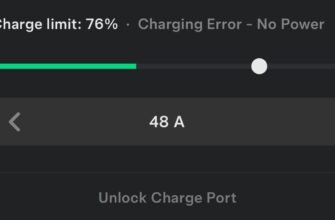
Hey, nothing worse than pulling up to charge your Model 3 or Model Y (2024-2026 Highland/Juniper), plugging in… and the latch doesn’t engage. You get “Charge Port Latch Not Engaged” alert, charging limited to 16A (or won’t start at all), or the cable just sits loose. I’ve had this on a 2025 Model Y after a winter storm and a software update — super frustrating when you’re low on range. The good news? In 80-90% of recent cases, it’s a quick DIY fix: re-seat, clean debris, disable schedule, or reboot. No need for service right away.
Dug through Tesla manuals, TMC/Reddit threads 2025-2026, and owner fixes — here’s exactly why it happens and how to get the port locking again fast.
What Does “Charge Port Unable to Lock” or “Latch Not Engaged” Mean?
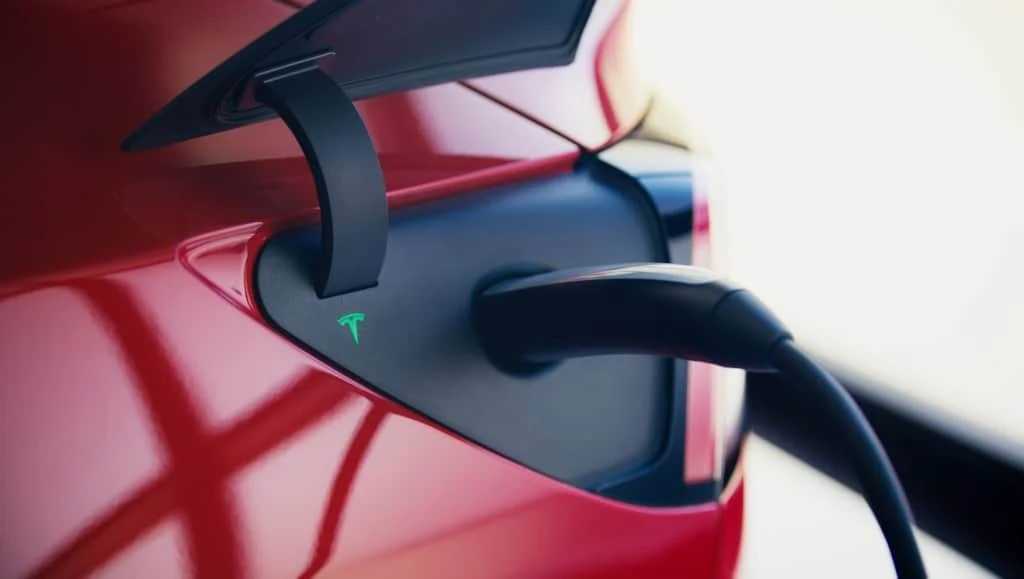
The charge port has a motorized latch pin that locks the cable securely during charging (prevents theft and ensures safe high-amp flow). When it fails to engage:
- Alert: “Charge port latch not engaged” or “Unable to charge – latch fault”
- AC charging capped at 16A (Mobile/Wall Connector); Supercharging/DC unavailable
- Port light: solid amber (not fully seated) or red (fault detected)
- Cable feels loose — you can pull it out without unlocking
On 2024-2026 models, this often pops after OTA updates, cold weather (ice freezes pin), dirt buildup, or scheduled charging conflicts.
Common Causes on 2024-2026 Model 3 & Model Y
- Cable not fully inserted (most common — latch needs full seat to trigger)
- Debris, ice, dirt, or corrosion in port/pins
- Software glitch after update (2025.x series common — latch actuator timing off)
- Scheduled charging delay — car waits, doesn’t lock until session starts
- Weak 12V battery or voltage drop affecting actuators
- Rare: faulty latch motor/actuator (needs service, but uncommon on refreshes)
Quick symptom/code table from Tesla service data and owner reports:
| Symptom / Code | What It Means | First Fix to Try |
|---|---|---|
| CHG_u006 / Latch not engaged | Latch failed to lock cable | Re-insert fully + check for debris |
| Solid amber light | Not fully plugged in | Push harder / realign |
| Red light / fault | Serious latch or comms error | Reboot + inspect port |
| No lock when scheduled | Car waits for charge start | Disable schedule temporarily |
Step-by-Step Fixes (Start Here — 90% Resolved DIY)
Step 1: Basic Re-Seat & Clean (2-5 min)
- Unlock car (app or key)
- Tap charge port icon on screen or app to open door
- Remove cable fully, inspect port inlet with flashlight — clean debris/ice gently (soft brush, compressed air; no metal tools!)
- Re-insert cable FIRMLY until you hear/feel click — port light should go blue/green pulsing
Step 2: Disable Scheduled Charging
Go to Controls → Charging → turn off “Scheduled Charging” and “Scheduled Departure”. Plug in — latch should engage immediately. Many 2025-2026 owners fixed it this way after updates messed timing.
Step 3: Reboots & Software Check
- Screen reboot: hold both scroll wheels 10-20 sec until black + Tesla logo
- Power off: Controls → Safety → Power Off, wait 2-5 min, brake to wake
- Check/install updates in app/car — newer firmware often patches latch bugs
Step 4: Advanced Checks if Persists
- Try different cable/adapter (e.g., Supercharger or another Mobile Connector) — isolates if it’s port or cable
- 12V battery weak? Follow our 12V guide (link below) — low voltage hits actuators
- Manual unlock test: if stuck, use app “Unlock Charge Port” or emergency release cable (orange tag in trunk/frunk area)
If nothing works after 2-3 tries — open service ticket. Most get remote OTA fix or free latch inspection under warranty on 2024-2026.
Real Owner Stories (2025-2026)
“2025 Model Y after 2025.38 update — latch wouldn’t engage on Wall Connector. Disabled schedule + reboot — locked instantly. Tesla software strikes again!” — John, Texas
“Winter 2026 Model 3 — ice in port prevented lock. Cleaned with air, re-seated — back to normal. No service needed.” — Anna, Canada
Related Articles You Might Find Helpful
- Tesla Charging Error “No Power”: Causes, Diagnosis and Fixes
- Tesla 12V Battery Low / “Schedule Service to Replace Low Voltage Battery” Warning
- Tesla EPAS Fault / Power Steering Assist Fault Message: Full Diagnosis & Reset Guide
Official charge port troubleshooting: Tesla Owners Manual or Service site.
FAQ
Why won’t my Tesla charge port lock after plugging in?
Usually incomplete insertion, debris/ice, or scheduled charging waiting — re-seat fully or disable schedule.
What does solid amber light on charge port mean?
Connector not fully plugged — realign and push firmly.
Is “Charge port latch not engaged” dangerous?
No safety risk, but limits charging speed and Supercharging — fix soon to avoid inconvenience.
How to manually unlock Tesla charge port if stuck?
Use app “Unlock Charge Port”, or emergency release cable in frunk/trunk (check manual).
Does software update fix charge port lock issues?
Often yes — many 2025-2026 cases cleared after OTA; always check for updates first.
You should be charging normally in minutes. If this fixed it for you, share your model year and what worked in comments — helps the community! Safe charging! ⚡